
A Simple But Effective Cache Augmented Generation Web Application

In a prior post I wrote about the difference between RAG (Retrieval Augmented Generation) and CAG (Cache Augmented Generation).
As a short recap, RAG (Retrieval-Augmented Generation) and CAG (Cache-Augmented Generation) both aim to ground LLM outputs in external knowledge but takes opposite operational approaches.
RAG performs real‑time retrieval (querying an external index or vector database to fetch and append relevant documents at inference time) so it scales to larger (or frequently changing) data sets. It keeps answers up to date but adds latency, retrieval/ranking failure modes, and architecture complexity. Also, RAG requires chunking documents and selecting top candidates, so it can miss relevant context or split key information across chunks, which often reduces factual accuracy and coherence,
CAG instead preloads a curated knowledge corpus into the model’s extended context, eliminating per‑query retrieval to achieve lower latency, simpler architecture, and more consistent accurate reasoning for stable or bounded datasets. This is at the cost of context-size limits, upfront compute to build and refresh caches, and potential staleness when data changes rapidly.
Now that is out of the way lets take a look at the CAG Workspace App I built to demonstrate this.

If you have seen some of my applications previously I am a fan of Client-Side Single Page Applications (SPA) that use JavaScript and HTML and load any libs required from CDN’s. Any state is stored in IndexedDB in the client side browser. No state at all is stored outside of the browser. This means the entire “brain” of the app runs inside your web browser (Chrome, Edge, Safari, etc.) using JavaScript.
This means the app can be invoked just be double clicking on it, but it still can be served through a web server or encompassed in a docker container and hosted somewhere on an internal network if required.
I chose to use Google Flash’s LLM due to its its large 1M context windows. This maximizes the amount of data that can be loaded in a single shot.

The settings screen enables the configuration of the API key (which is stored in the client’s localstorage in the browser) and enables the input of a system prompt and a ‘context meter’ for the configuration of the context window that is allowed for documents. It is set by default to 200K tokens.
The “Rule of Thumb” Formula inside the estimateTokens function in the code tells the app to take the total number of characters in the extracted text and divide it by 4. Why 4? In English, one token is roughly equivalent to 4 characters (or about 0.75 words). While this is not perfect for code or complex languages, it is a standard industry approximation for English text.
The Gemini Flash model can handle much more than 200k tokens (up to 1 million+ tokens). However, sending megabytes of text from a browser can cause lag or network timeouts so I set this lower 200K limit to ensure the app stays snappy and responsive on a standard low-end computer although it is always able to be overridden via the settings.
There are three ways in the App that we try and mitigate performance issues:
“Heavy Lift” Warning: There is a check for files larger than 5MB. If detected, the app explicitly warns: “Large file detected. Browser may freeze momentarily.”
Thread Yielding: There are small pauses (await new Promise...) in the file processing loop. This gives the browser a split second to update the UI (show the warning toast) before it dives into the heavy text extraction, so the user sees the message instead of an instant freeze.
Visual “Busy” State: During processing, the upload box will turn grey, show a spinner, and disable interactions, so the user knows the app is thinking and doesn’t try to upload the file twice.
Based on the pre-set limit of 200,000 tokens, a rough breakdown of capabilities is:
150K words or
c. 400 pages of text or
roughly 1 decently sizes novel or
15-20 lengthy PDF reports or
50 standard contracts or PDF whitepapers.
When you drop a file, the application uses JavaScript libraries that are loaded from CDN (pdf.js for PDFs, mammoth.js for Word docs) to read the file locally and extract the text into IndexedDB in the browser which means you can close the browser and relaunch the App and you will be able to pick up from where you left off.
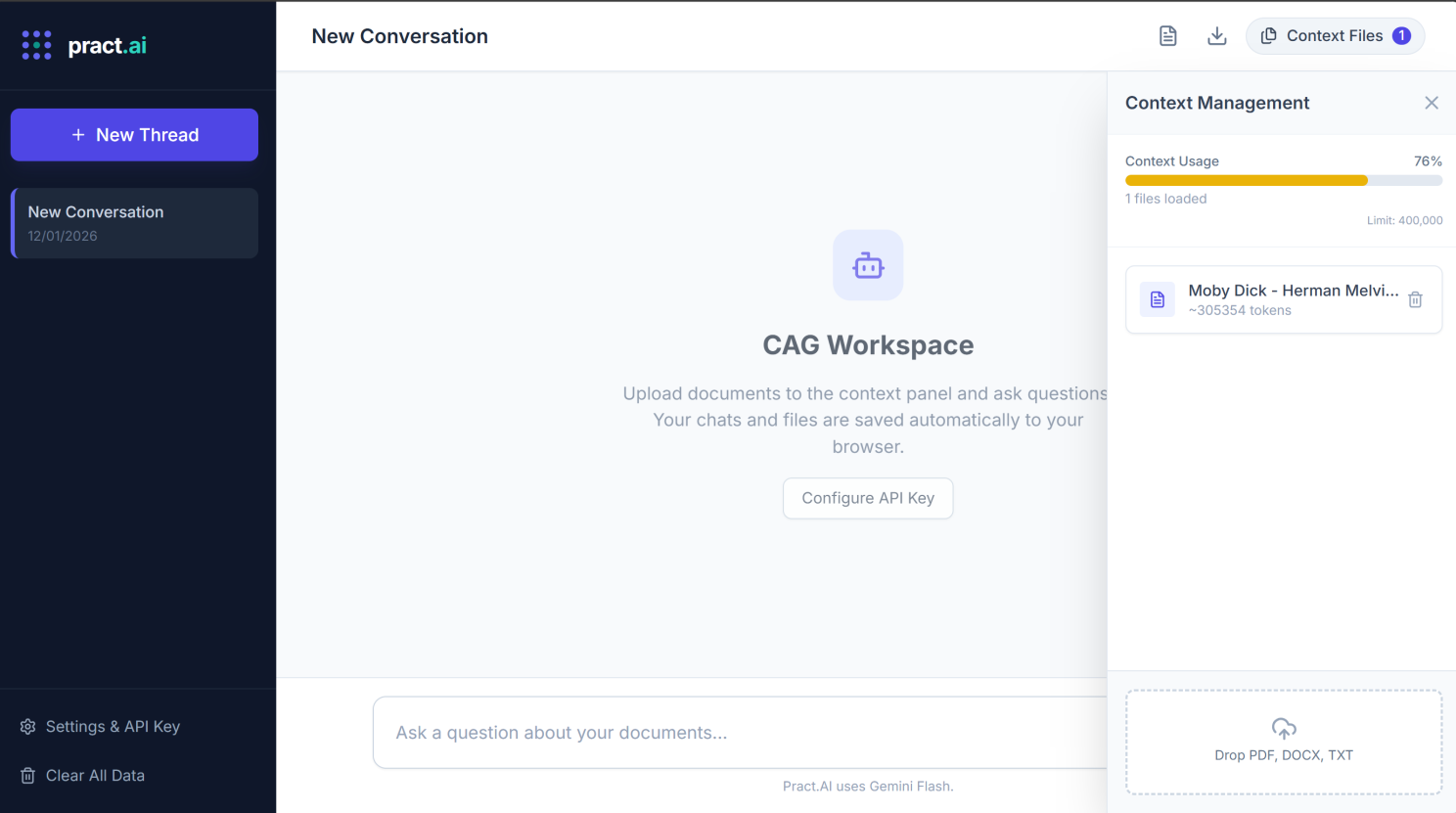
A Context Management slide-in enables the adding of content and shows how much space has been allocated in that chat thread. Each chat thread’s context is idempotent ie. each thread can have its own files that count towards the token limits only for that thread.
You can see in the example below we upped the token count to 400K tokens to be able to accommodate PDF version of Moby Dick, which contains 600 pages.
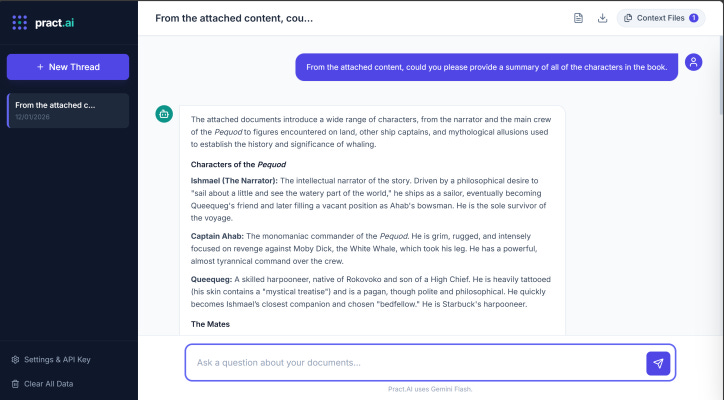
When you ask a question, the app packages your question + the text extracted from your files and sends it directly to Google’s Gemini API to generate an answer. Below we ask about all the characters in the Moby Dick Book that we added.
As previously explained for the use case of analyzing a specific set of documents (such as a project folder, a book, or a set of contracts), Long Context is often superior to RAG (Retrieval-Augmented Generation). With Long Context, the AI reads everything at once, so it can connect dots that are pages apart without relying on any other steps.
A practical example is, legal contracts or technical manuals often define a term on page 5 that changes the meaning of a clause on page 1,500. Long Context can maintain that dependency; RAG often loses it because the chunks are processed in isolation.
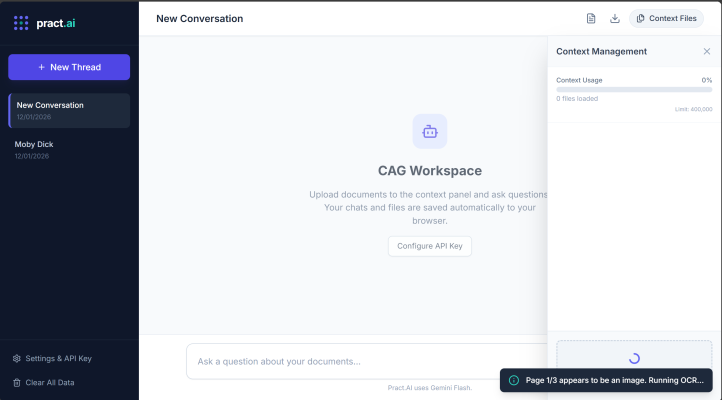
Some PDF’s of course are just scanned documents and I wanted the App to be able to handle that so when parsing a PDF, the app checks if a page has text. If a page appears to be an image (scanned document), it renders that page to an invisible canvas and runs Tesseract OCR to extract the text (using Tesseract.js).
To demonstrate this I downloaded a sample PDF that was encompassed a document scan and dropped it into the context management piece of the application:
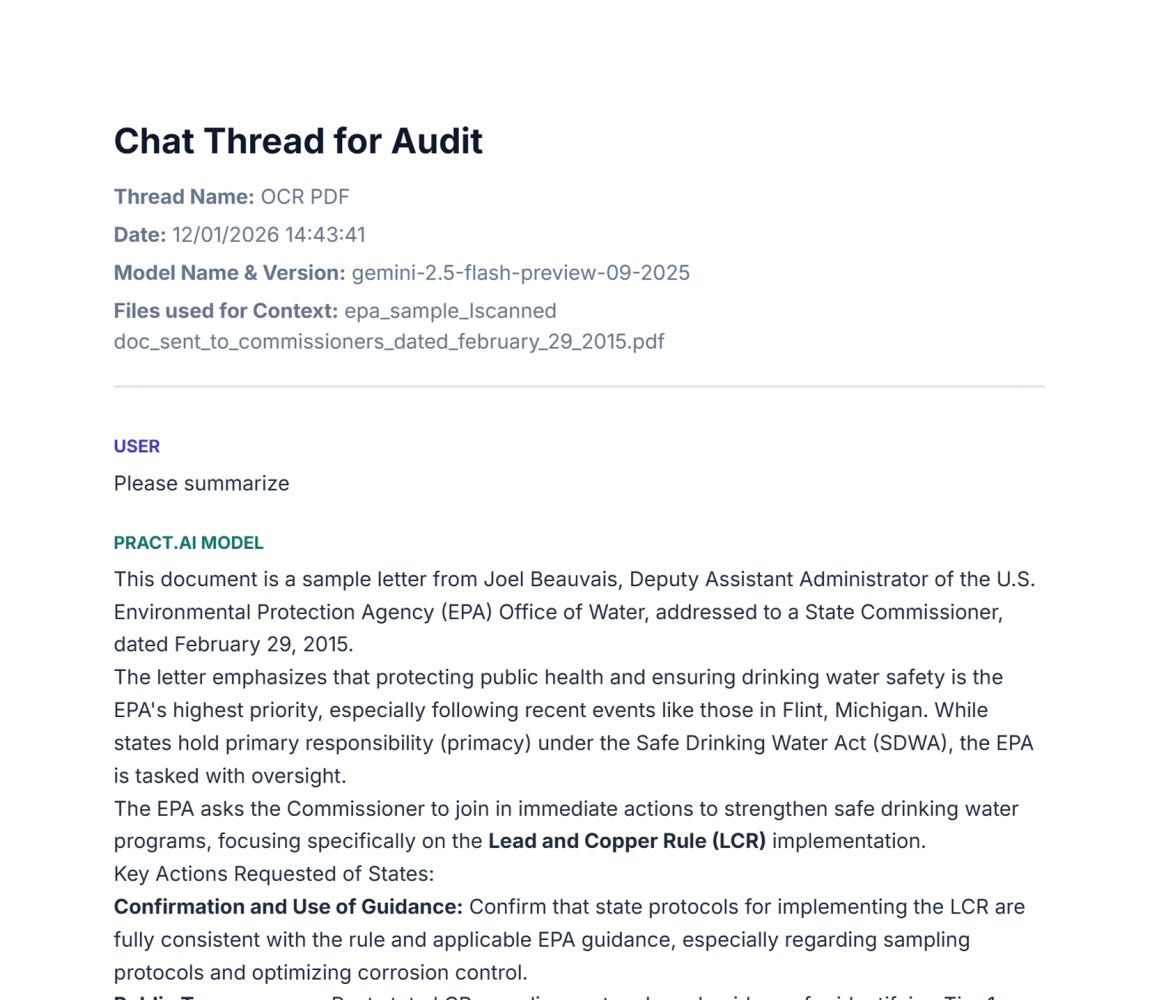
Also, each chat thread can be exported and retained for Audit purposes:
As you can see in this app, we didn’t need a Vector Database, an Embedding Model, or complex chunking logic. We just dumped the text in, and Gemini handled the rest so its a much simpler architecture but also has the advantage of being able to work with the full context of the documents.
The App is very extensible and I have a dockerized version of this App that integrates with Okta, has an admin panel so that it can be centrally hosted and so easily made available to end users, in which the interactions are stored locally on their machine (in the web browser).
➡️ Download the App from GitHub
➡️ Run the App directly in your browser (all keys, chats and state only exist in your browser)